

Cursor Custom logoCursorCustom
Open-source · 24 effects · MIT

Cursor CustomExplore Interactive Effects with Realistic Motion and Creative Control

Cursor Custom transforms ordinary pointer movement into an engaging visual experience with dynamic trails, animated rings, sparks, and lens effects. Experiment with realistic physics, fine-tune every interaction using intuitive sliders, and seamlessly integrate your preferred effects into your website with ready-to-use React code.

24cursor effects
0installers
MITlicense
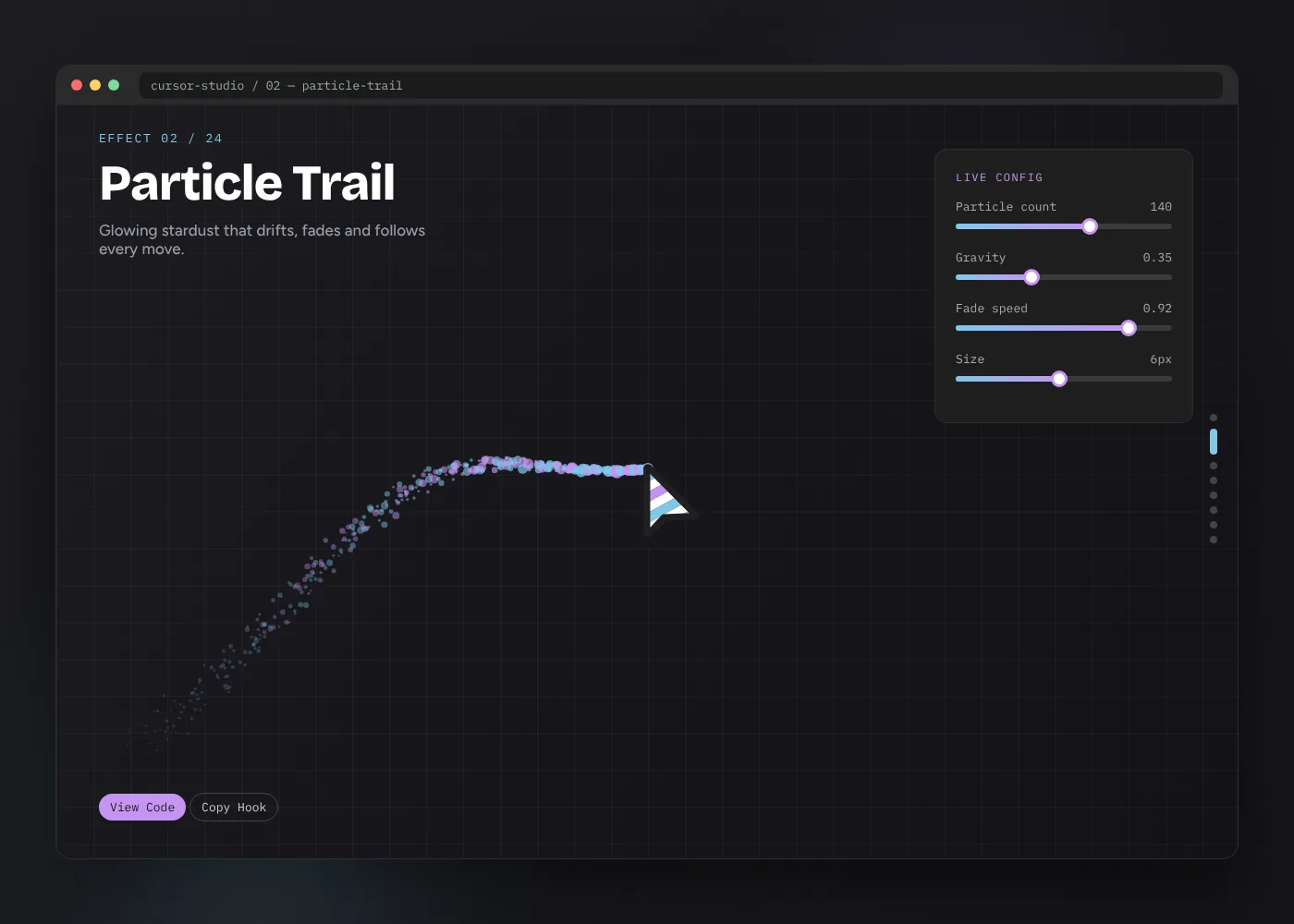
Cursor Custom effect studio showing the Particle Trail cursor with a live configuration panel
Move your mouse herethis panel runs a live trail
React 19ViteCanvas APIWindows · macOS · LinuxChrome · Edge · Firefox · Safari
What is it01

What is Cursor Custom?

A working gallery of interactive mouse cursor effects you can run, study and reuse — not a pack of static pointer images.

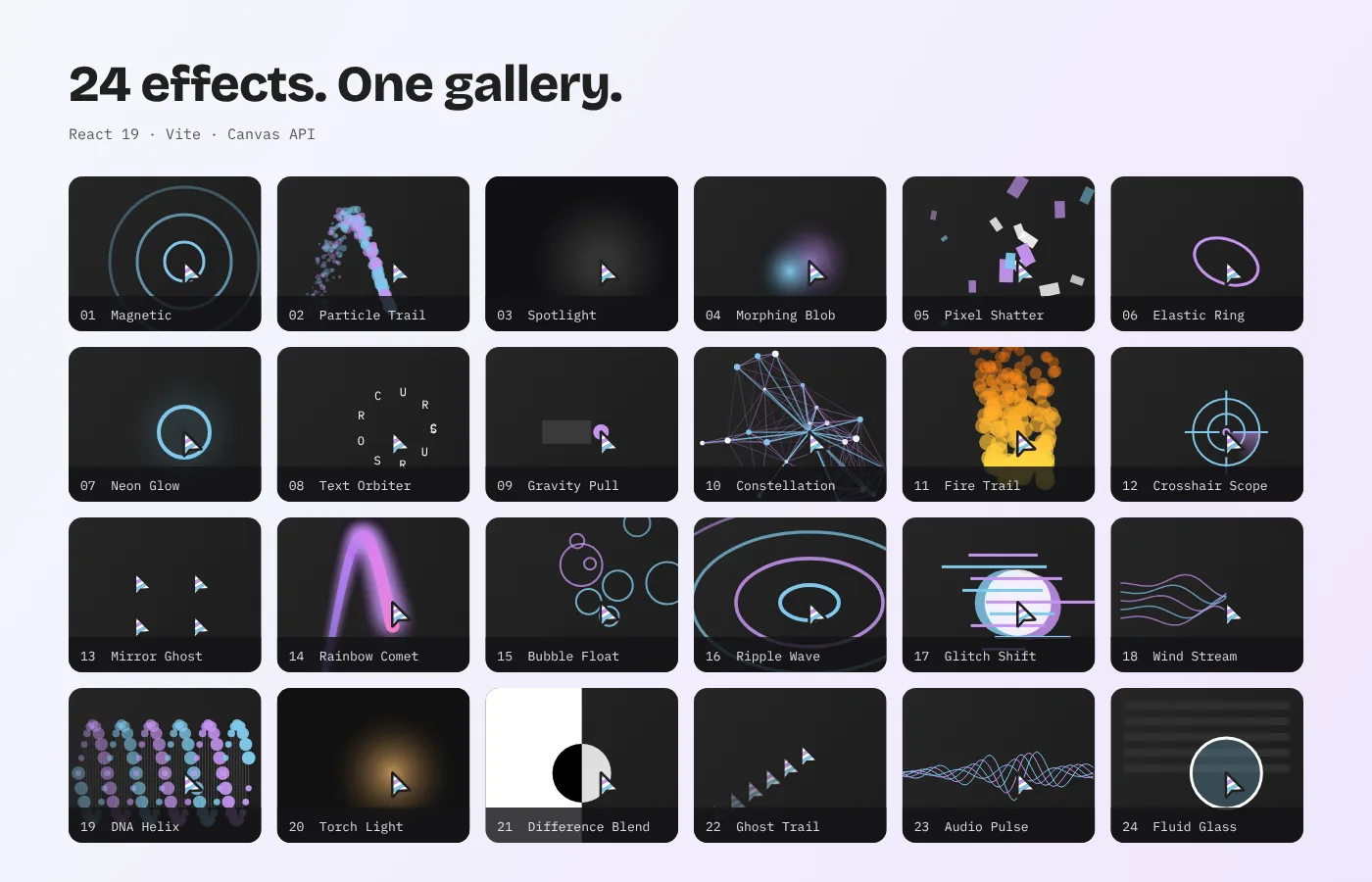
Grid of all 24 Cursor Custom effects from Magnetic to Fluid Glass

Cursor Custom is the home of the CursorX package: a browser-based playground with 24 custom cursor effects built on React 19, Vite and the Canvas API. Each slide in the gallery isolates one effect in its own demo area, so you can move the mouse, click, and watch exactly how that cursor reacts before deciding whether it belongs on your site.

Most "custom cursor" downloads replace the arrow with another picture. This one changes behaviour. A ring that squashes as it accelerates, embers that cool from yellow to grey, buttons that lean toward the pointer, a lens that magnifies the page beneath it. Those are motion and feedback decisions, and the gallery lets you tune them with sliders before you copy a single line of code.

  • PackageCursorX source, ZIP from GitHub
  • Effects24, grouped as CSS, Canvas and filter
  • StackReact 19 · Vite · vanilla CSS
  • Runs onAny OS with Node.js 18+
  • LicenseMIT — personal and commercial
Features02

Built for people who care how a pointer feels

Every feature exists to answer one question fast: will this cursor make my page better, or just busier?

24 distinct cursor behaviours

Particle trails, spring rings, fire embers, constellation lines, a magnifying glass lens and nineteen more. Each one uses a different interaction model, so the gallery reads like a reference set rather than 24 colour swaps.


MAGNETIC → FLUID GLASS

Live parameter tuning

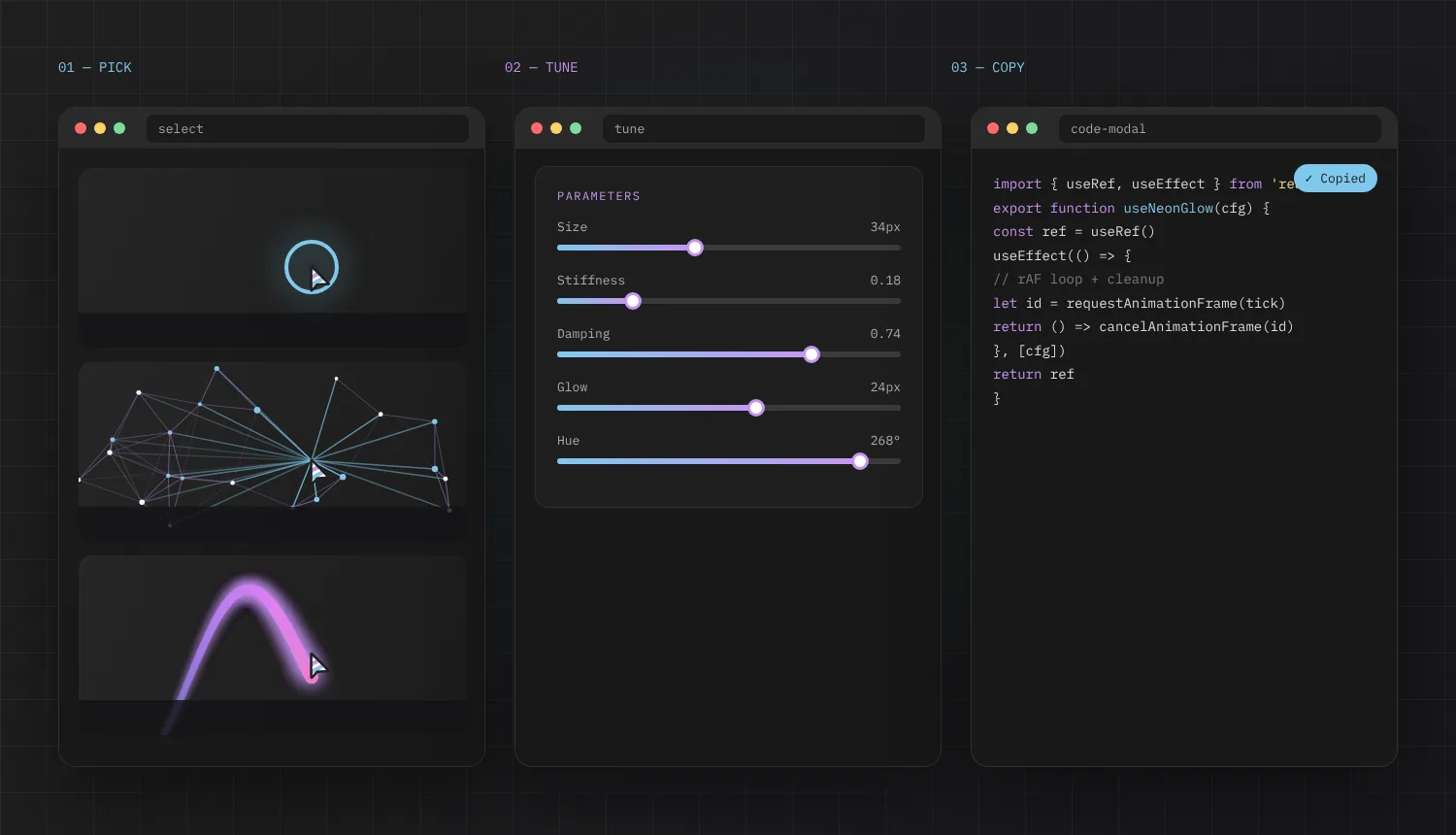
Sliders, colour swatches and toggles feed a reactive config object. Change stiffness, gravity, size or hue and the cursor redraws on the next frame — no reload, no rebuild.

SIZE · SPEED · DAMPING · HUE

Copy-ready React code

Open the code modal on any slide to read the hook or component behind the effect, then copy it with one click.

Frame-friendly rendering

Drawing runs inside requestAnimationFrame on canvases sized to the preview area, not the whole screen.

Clean unmounts

Every effect cancels its animation frame and removes window listeners when you leave the slide.

DOM-aware physics

Magnetic and Gravity Pull read elements tagged with data attributes and move them with spring return.

Three render families

CSS-driven, canvas-driven and filter-driven effects, so you can pick the technique that suits your stack.

MIT licensed source

Readable files you can audit, fork, trim and ship in personal or commercial work.

How it works03

From a scroll to shipped code in four moves

The gallery is a vertical carousel. Each slide mounts one cursor, wires it to a tuning panel and keeps its source a click away.

  1. Browse the carousel

    Scroll, use the arrow keys, tap the side dots or pick a name from the navbar menu to jump between all 24 effects.

  2. Interact in isolation

    The active effect mounts inside its own preview area. The previous one is unmounted and its animation loop cancelled.

  3. Tune the config

    Sliders and colour pickers write to a reactive config object. Canvas effects read it on the next frame; CSS effects update custom properties.

  4. Copy the source

    “View Code” opens a modal with the hook or component. Copy it, paste it into your project and pass your tuned values as props.

Three-panel workflow: select an effect, tune its parameters, copy the generated React hook
Installation04

Run it locally in about three minutes

You need Node.js 18 or newer. Pick your system below — the commands are identical, only the terminal differs.

  1. Install Node.js LTS

    Download the Windows installer from nodejs.org and keep the default options, including “Add to PATH”.

  2. Download and extract

    Save the ZIP, right-click it, choose Extract All and open the extracted folder.

  3. Open a terminal there

    Right-click empty space in the folder and choose Open in Terminal (Windows 11) or type powershell into the address bar.

  4. Install and start

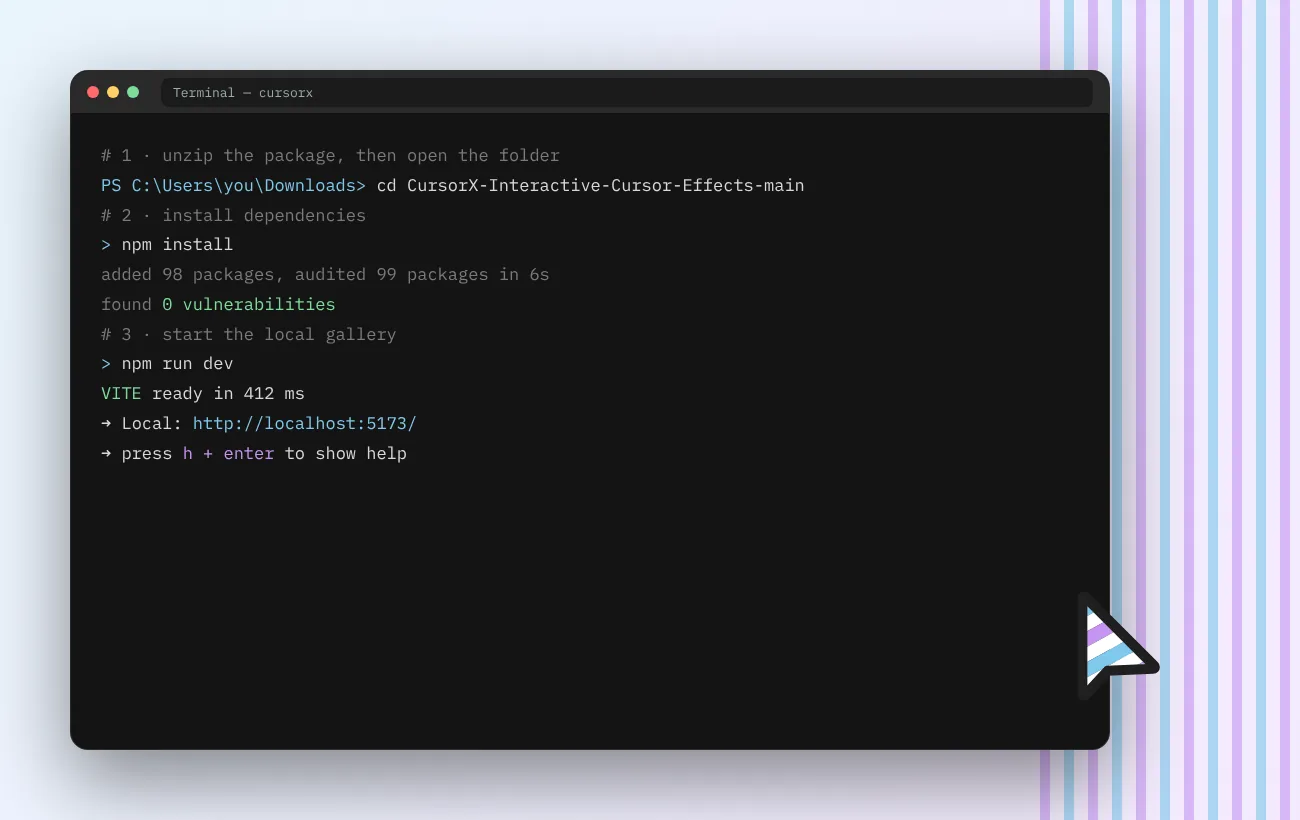
    Run the two commands on the right, then open the local address Vite prints.

terminal
# install dependencies (first run only)
> npm install
# start the gallery
> npm run dev
Terminal showing npm install and the Vite dev server ready on localhost 5173

Building for production instead? Run npm run build and upload the generated dist folder to any static host.

Use cases05

Where an interactive mouse cursor earns its place

A cursor effect works when it supports what the page is for. These are the four contexts where people get the most out of the library.

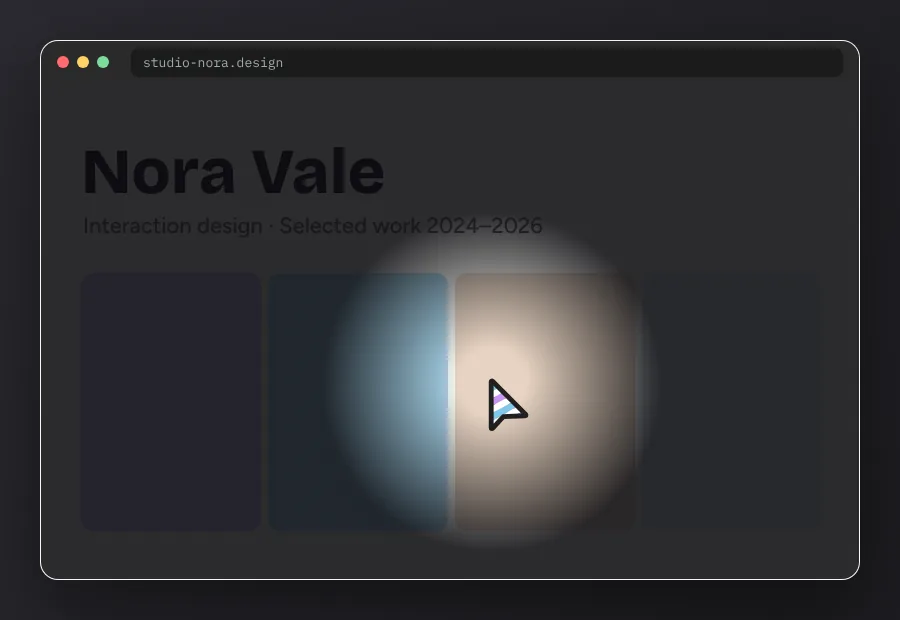
Let the work stay in the dark until it is pointed at — custom cursor example for portfolios
Portfolios

Let the work stay in the dark until it is pointed at

Spotlight and Torch Light turn a project grid into something visitors explore. Designers use them on case-study indexes where curiosity matters more than speed of scanning.

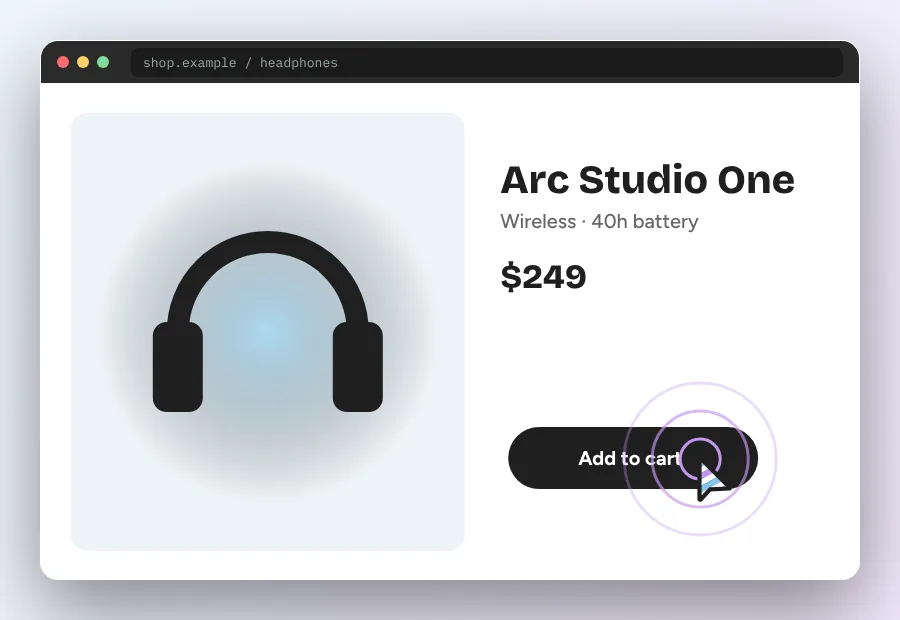
Give the main button a gentle pull — custom cursor example for product pages
Product pages

Give the main button a gentle pull

Magnetic and Elastic Ring add feedback to add-to-cart and sign-up buttons. Used on a single control, the effect guides attention without turning checkout into a toy.

Match the pointer to the world you are selling — custom cursor example for game and event landings
Game and event landings

Match the pointer to the world you are selling

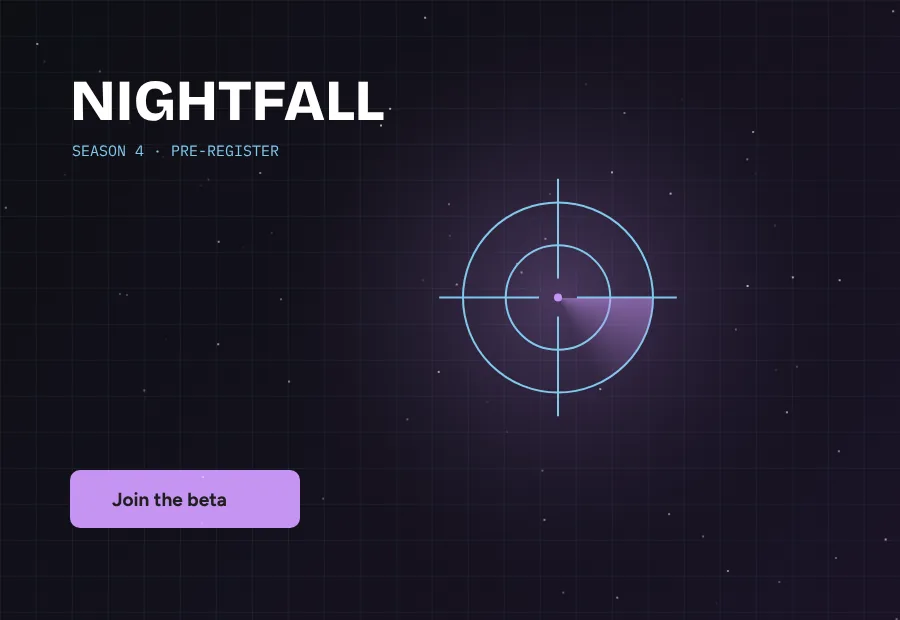
Crosshair Scope, Glitch Shift and Neon Glow suit launch pages for games, esports events and music drops, where the page itself should feel like a preview.

Make abstract ideas respond to a click — custom cursor example for teaching and demos
Teaching and demos

Make abstract ideas respond to a click

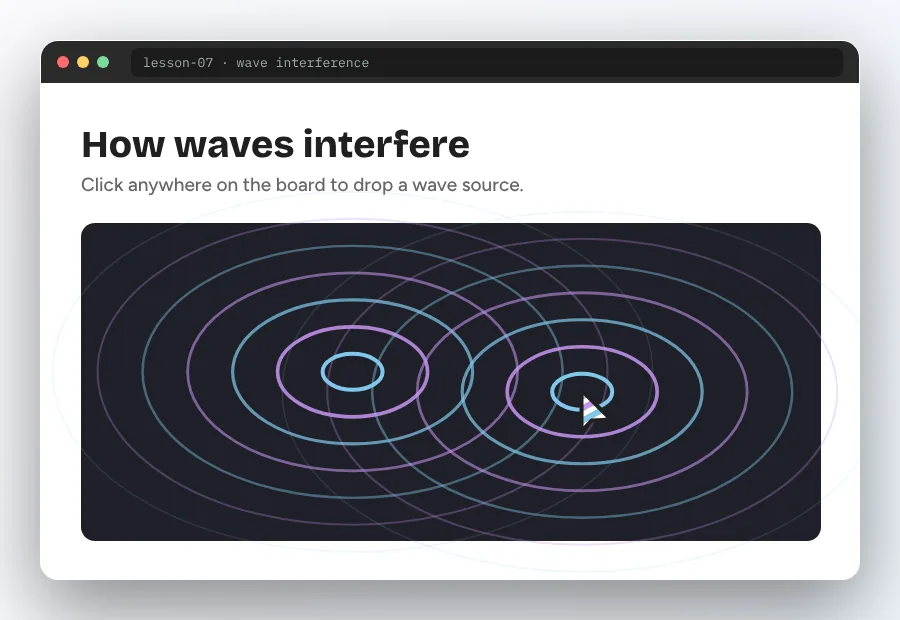
Ripple Wave, DNA Helix and Constellation double as small simulations. Teachers and workshop hosts use them to show interference, structure and networks on a projector.

Download · 06

Custom cursor download, straight from source

The button pulls the latest main branch as a ZIP directly from GitHub. Nothing is repackaged or wrapped in an installer.

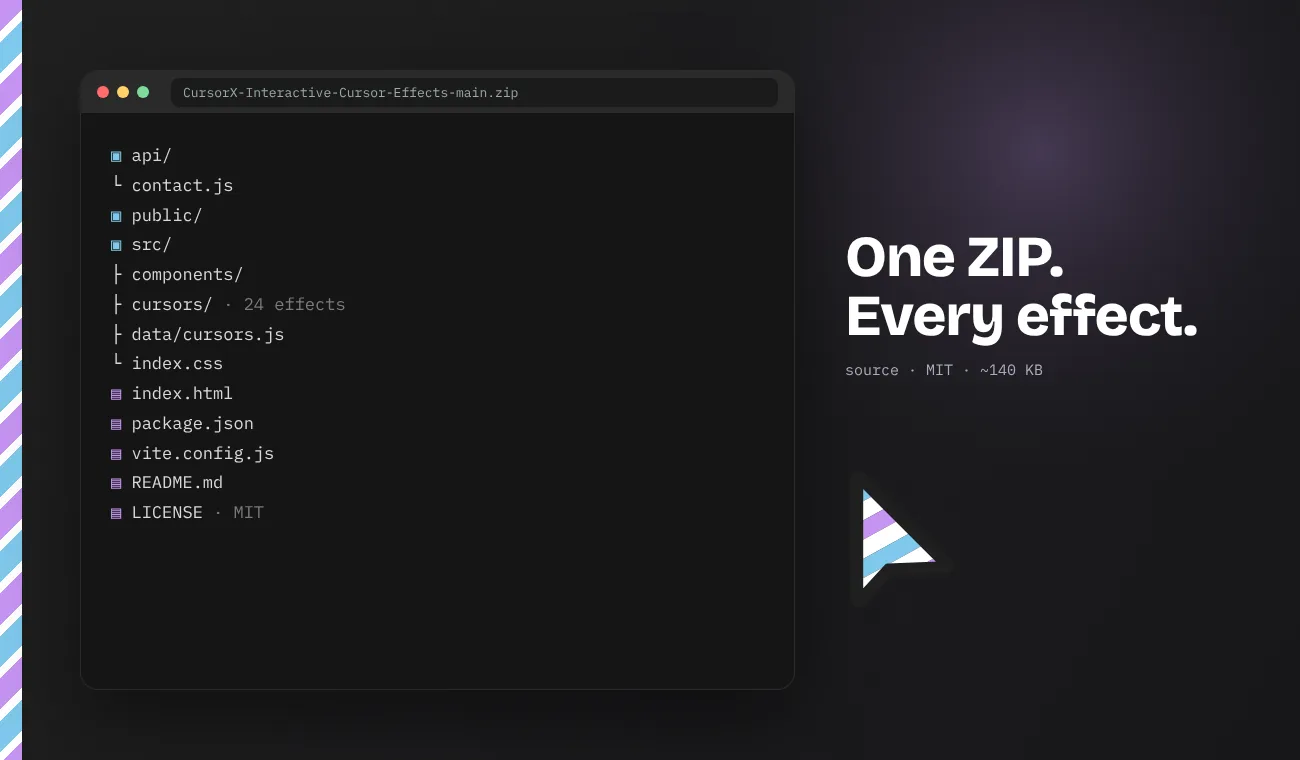
FileCursorX-Interactive-Cursor-Effects-main.zip
ContentsSource code, 24 effects, docs
RequiresNode.js 18+ and npm
LicenseMIT
PriceFree
Download the ZIP

Prefer to read first? Browse the repository or see the download details.

File tree of the Cursor Custom download package with src, cursors and license
Compatibility07

Works where browsers work — and how it compares

Because the effects are web code, the real question is which browser renders them, not which operating system you own.

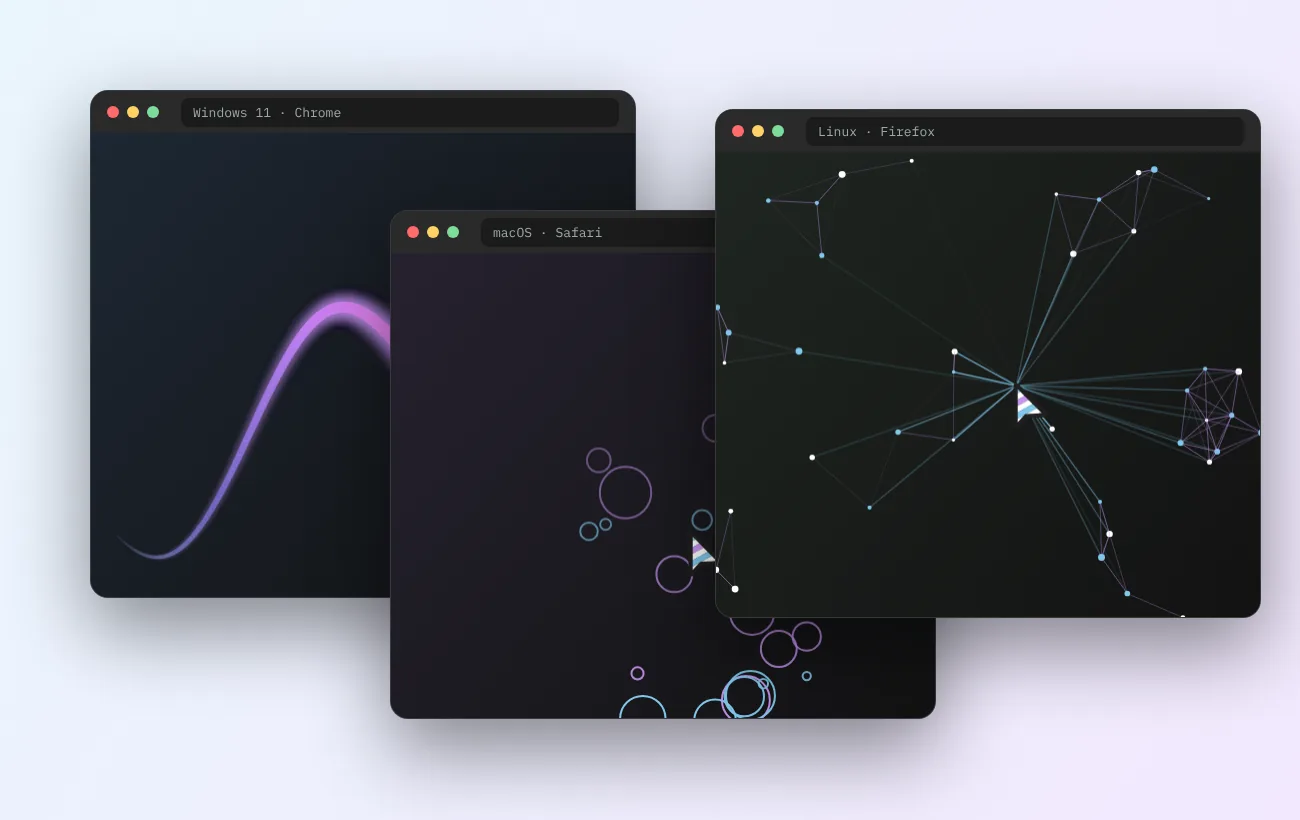
Cursor Custom effects running in Chrome on Windows 11, Safari on macOS and Firefox on Linux

Custom cursor for Windows, Mac and Linux

On Windows 10 and Windows 11, run the gallery in Chrome, Edge or Firefox. On a Mac, Safari 16.4+ and every Chromium browser handle the canvas and blend-mode effects. Linux desktops behave the same with Firefox or Chromium. Touch-only devices show the effects on tap but have no hover pointer, so a few effects — Spotlight and Magnetic in particular — are best switched off on phones.

Chrome 111+Edge 111+Firefox 113+Safari 16.4+Windows 10 / 11macOS 12+Ubuntu · Fedora · Arch
Compared onCursor CustomSweezy cursors (extension)Windows / macOS pointer settingsPlain CSS cursor:url()
What changesAnimated, physics-based effectsPointer image on pages you visitSystem arrow, size and colourStatic image on one site
Who sees itEvery visitor of your siteOnly youOnly you, in every appEvery visitor of your site
Install neededNone for visitorsBrowser extensionNoneNone
Motion and physicsYes — springs, gravity, particlesMostly static imagesAnimated .ani on Windows onlyNo
TunableLive sliders + codePick from a packSize and colourEdit image file
Best forBrand and interaction designPersonal browsing styleVisibility and accessibilitySimple branded pointer
Troubleshooting08

Fixes for the problems people actually hit

Collected from first runs on fresh Windows, macOS and Linux machines. Find your symptom, apply the fix.

LAG / LOW FPS

Effect stutters or lags behind the pointer

Turn on hardware acceleration in your browser (Chrome: Settings → System → Use graphics acceleration). Then lower the particle count or trail length in the config panel.

WINDOWS · POWERSHELL

npm is not recognized

Node.js is missing or the terminal was opened before installing it. Install the LTS build from nodejs.org, close every terminal window and open a fresh one.

VITE DEV SERVER

Port 5173 is already in use

Another dev server is running. Stop it with Ctrl + C, or start this one on a different port with npm run dev -- --port 5174.

OVERLAPPING EFFECTS

Two cursors appear at once

A previous effect did not unmount. Switch slides once more to trigger cleanup, or refresh the tab. In your own app, make sure the component returns its cleanup function.

CLIPBOARD BLOCKED

Copy button does nothing

Browsers only allow the Clipboard API on https or localhost. Open the gallery through http://localhost:5173, not an IP address on your network.

MAGNIFIER POSITION

Fluid Glass lens is offset

Resize the window once so the boundary rectangle is recalculated, and avoid viewport-unit offsets on the cloned area.

Requirements09

System requirements

The gallery is light. Requirements mostly come from Node.js and from how many particles you ask the GPU to draw.

Minimum

OS
Windows 10 64-bit, macOS 12, or a current Linux distribution
Runtime
Node.js 18 LTS with npm 9
Browser
Chrome / Edge 111, Firefox 113, Safari 16.4
Memory
4 GB RAM
Graphics
Integrated GPU with browser acceleration on
Disk
About 150 MB after npm install

Recommended

OS
Windows 11, macOS 14 or newer, Ubuntu 24.04
Runtime
Node.js 20 or 22 LTS
Browser
Latest Chrome, Edge, Firefox or Safari
Memory
8 GB RAM or more
Graphics
Any GPU from the last five years, 60 Hz+ display
Input
Mouse or trackpad — hover effects need a fine pointer
Safety10

Safe because there is nothing hidden

A cursor download is a common place for adware. This package sidesteps the risk by being plain, readable source.

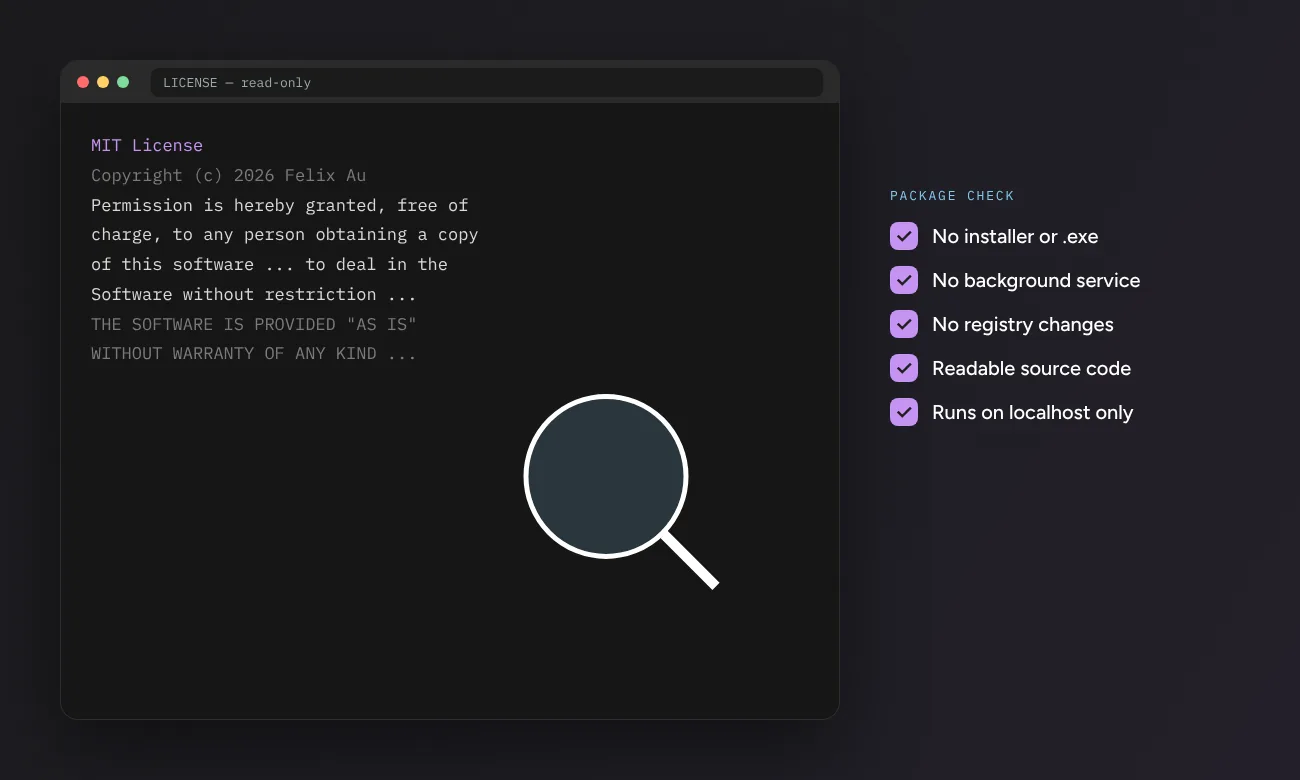
MIT license file open beside a package safety checklist for the Cursor Custom download
  • No executablesThe ZIP holds .js, .jsx, .css, .json and .md files. Nothing runs until you type a command yourself.
  • Fully auditableEvery effect is a short, readable component. You can review the drawing loop before using it.
  • Served by GitHubThe download link points to GitHub’s own archive endpoint for the public repository, not a mirror.
  • No system changesNo registry edits, drivers or background services. Close the terminal and it stops.
  • Clear licenseMIT terms spell out what you may do. Keep the notice and you can ship it commercially.
Pros & cons11

An honest look at the trade-offs

Interactive cursors are a design tool with real costs. Here is where this library shines and where it asks something of you.

Pros

  • Real variety24 effects across particles, springs, fields and blend modes.
  • Try before you shipLive sliders show the tuned result instantly.
  • Code you ownMIT license, no runtime service, no account.
  • Visitors install nothingUnlike extensions, everyone who opens your page sees the effect.
  • Careful cleanupAnimation frames and listeners are released on unmount.

Cons

  • Needs Node.jsRunning the gallery means a short terminal session.
  • Not system-wideIt will not change the pointer in File Explorer or Finder.
  • React-first codeNon-React sites must port the drawing logic by hand.
  • Touch limitationsHover-based effects mean little on phones and tablets.
  • Easy to overdoHeavy effects on every page can tire visitors and cost frames.
FAQs12

Questions people ask before downloading

Short, specific answers. Longer explanations live in the linked guides.

What exactly do I get from the Cursor Custom download?

A ZIP archive of the CursorX source code: the React 19 gallery, 24 cursor effect components in src/cursors/, the parameter data file, styles, the Vite configuration and the MIT license. There is no installer and no compiled program inside. You run the gallery locally with Node.js, or you copy individual effects into your own React project.

Does Cursor Custom change my Windows mouse cursor everywhere?

No. These effects live inside web pages, so they appear only where the code runs: the local gallery or a website that includes an effect. Your desktop pointer, File Explorer and other apps keep the cursor scheme set in Windows Settings. If you want a system-wide pointer on Windows 11, our Windows 11 guide walks through the built-in pointer settings and .cur/.ani schemes.

Is this a custom cursor for Chrome like an extension?

It works in Chrome, but it is not an extension. Extensions such as Sweezy cursors swap the pointer image on pages you visit. Cursor Custom effects are code that a site owner adds to their own pages, so every visitor sees them without installing anything. The Chrome guide compares both routes.

Will it run on a Mac?

Yes. The gallery needs Node.js 18 or newer and a modern browser, both of which run on macOS with Apple silicon or Intel chips. Safari, Chrome, Edge and Firefox all render the canvas effects. The Mac guide covers Terminal setup step by step.

Do I need to know React to use the effects?

To browse and tune effects in the gallery, no — you only run two commands. To move an effect into your own site, basic React knowledge helps because each effect ships as a component or hook. Sites without React can still reuse the logic, since the core of most effects is plain Canvas API drawing inside a requestAnimationFrame loop.

Will a custom cursor slow down my website?

Each effect draws on a canvas scoped to its preview area and cancels its animation frame on unmount, so idle cost is close to zero. Heavy particle effects can still strain older laptops if you raise particle counts. Keep counts moderate, disable effects on touch screens, and respect the reduced-motion setting. Our performance guide gives exact numbers to aim for.

Is the download safe and free?

The archive is served directly by GitHub from the public repository and contains readable JavaScript, CSS and JSON files only. It is released under the MIT license, which allows personal and commercial use as long as the copyright notice stays in place. You can inspect every file before running npm install.

Can I use these effects on a client or commercial project?

Yes. The MIT license permits commercial use, modification and redistribution. Keep the original license text with the code you copy, test the effect with keyboard and touch users, and give visitors a way to turn heavy motion off.